Learning center
Grow · step 11 of 14 · 4 min
Reviews and reputation
Ask at the right moment, collect on your booking page, feature the best ones, reply to all.
- 1Ask 1–2 days after the visit
The Reviews page lists who visited recently and prepares the request with your Google link.
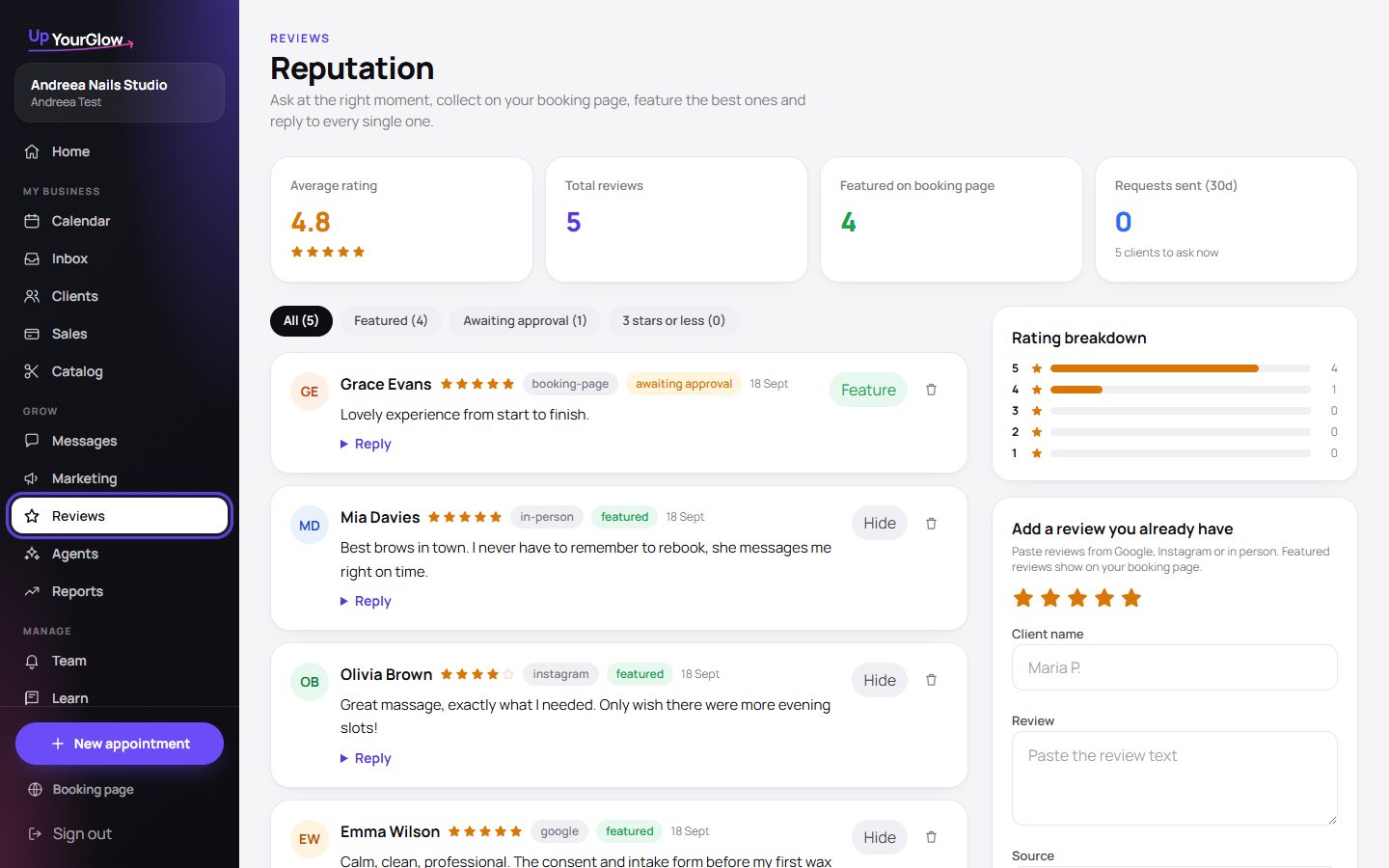 Reviews · where to click is highlighted in violet
 - 2Add the reviews you already have
Paste from Google, Instagram or in person. Featured reviews show on your booking page.
- 3Approve the ones left on your page
Clients can leave a review on the booking page. It stays hidden until you approve it.
- 4Reply
Every review has a reply field. Thank the client in one line.
Stop running your business from your DMs.
Organised in 2 minutes. More clients in your first week. Free for up to 30 clients.