Learning center
Run the business · step 12 of 14 · 4 min
Adding your team
Each person gets a colour, a calendar column, their own hours and a place on the booking page.
- 1Add a team member
Name, role, colour, phone. Your plan sets how many: 1 on Free, 3 on Pro, 5 on Salon.
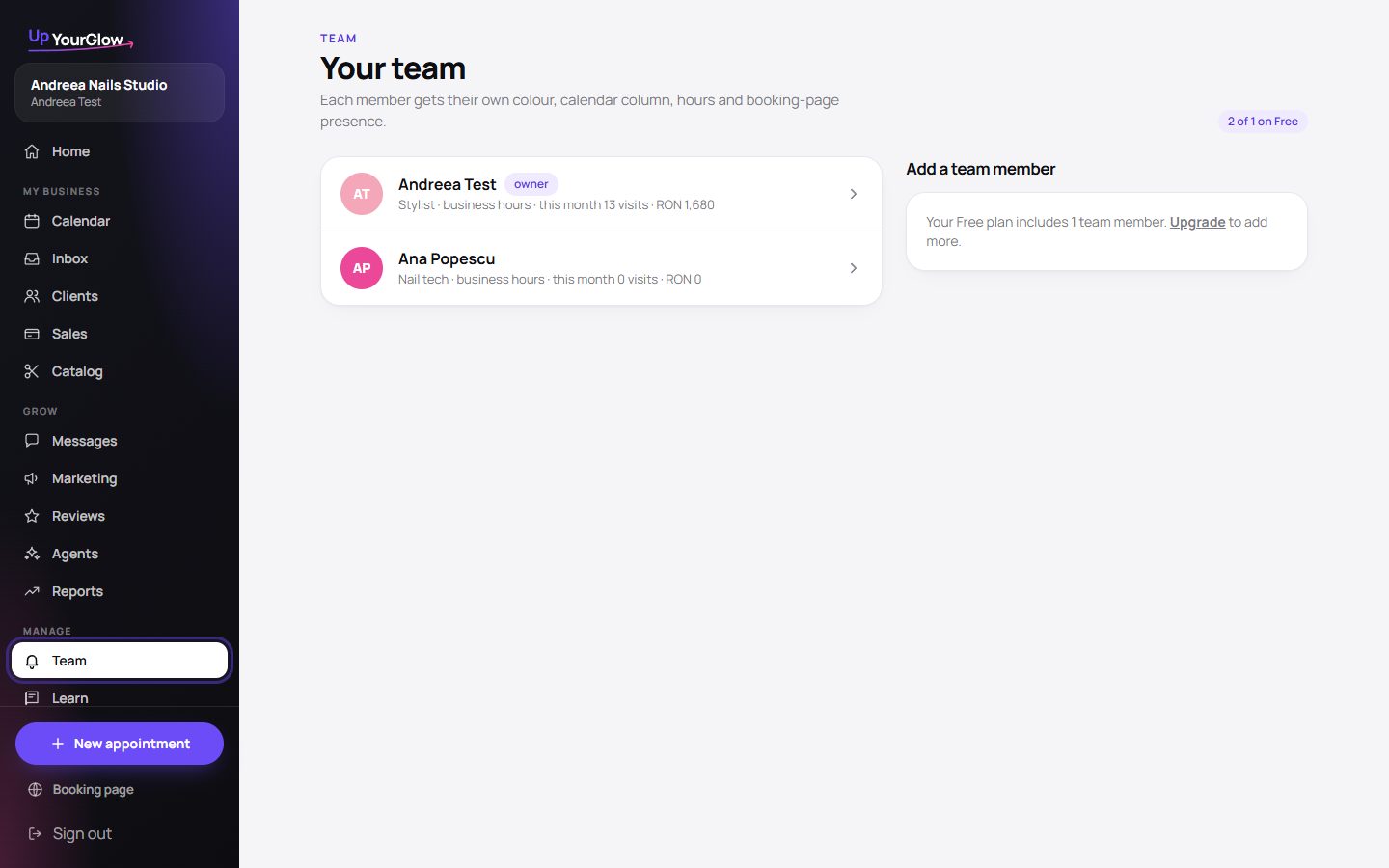 Team · where to click is highlighted in violet
 - 2Their own hours
Custom working hours per person; otherwise business hours apply.
- 3Bookable online or not
Clients pick a person on the booking page only if you allow it.
- 4Day view per person
One column each. Drag an appointment sideways to move it to a colleague.
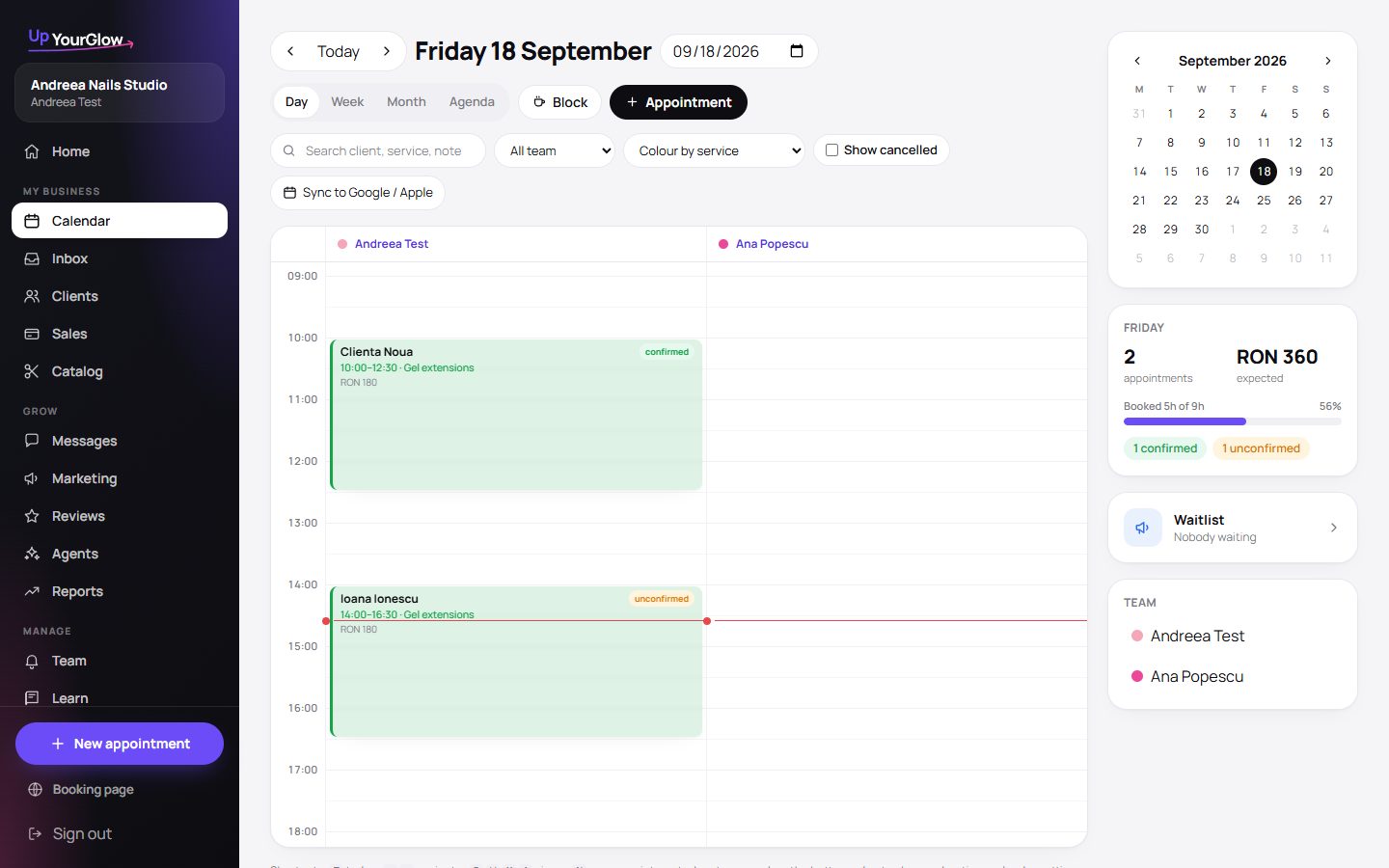 Calendar · where to click is highlighted in violet
Stop running your business from your DMs.
Organised in 2 minutes. More clients in your first week. Free for up to 30 clients.