What your clients see on the booking page
Live availability, intake questions, consent, a waitlist. Here is the client's side of the story.
- 1They open your link
Your name, city, Instagram and hours. Then the service list with durations and prices.
- 2They pick a service and, if you have a team, a person
Only people you marked as bookable appear. Each one has their own hours and availability.
- 3They see live availability
Days and times are calculated at that moment from your hours, existing appointments, blocks, the service duration and your buffer. Two clients cannot take the same slot: the second one is asked to pick another time.
- 4Intake and consent
If the service has questions (allergies, pregnancy, recent treatments) they answer them before booking and tick your consent text. The answers sit on the appointment before they arrive.
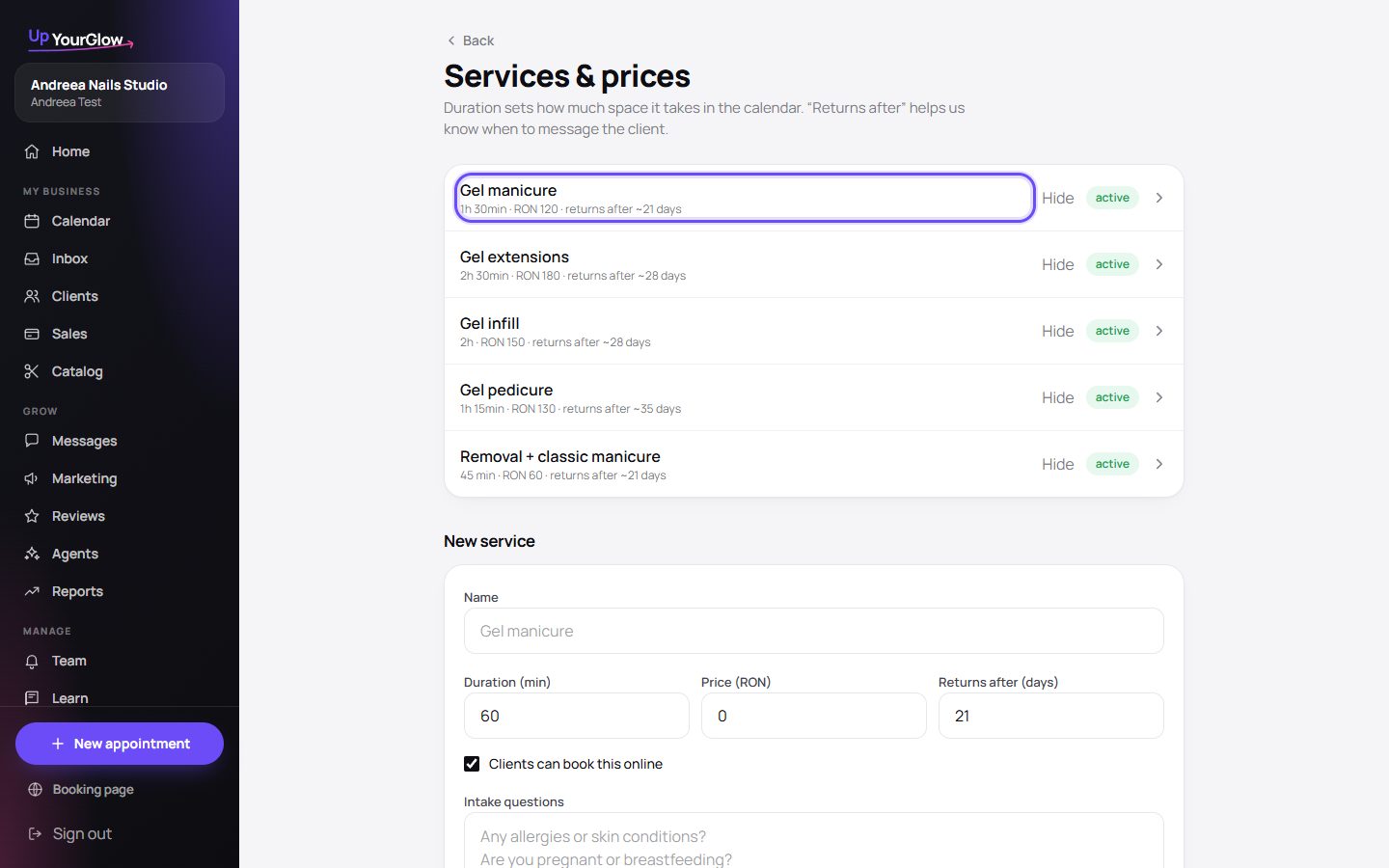 Edit service forms · where to click is highlighted in violet
 - 5Waitlist when nothing fits
They leave name, phone and preferred days. When a slot frees up you offer it with one tap from Inbox.
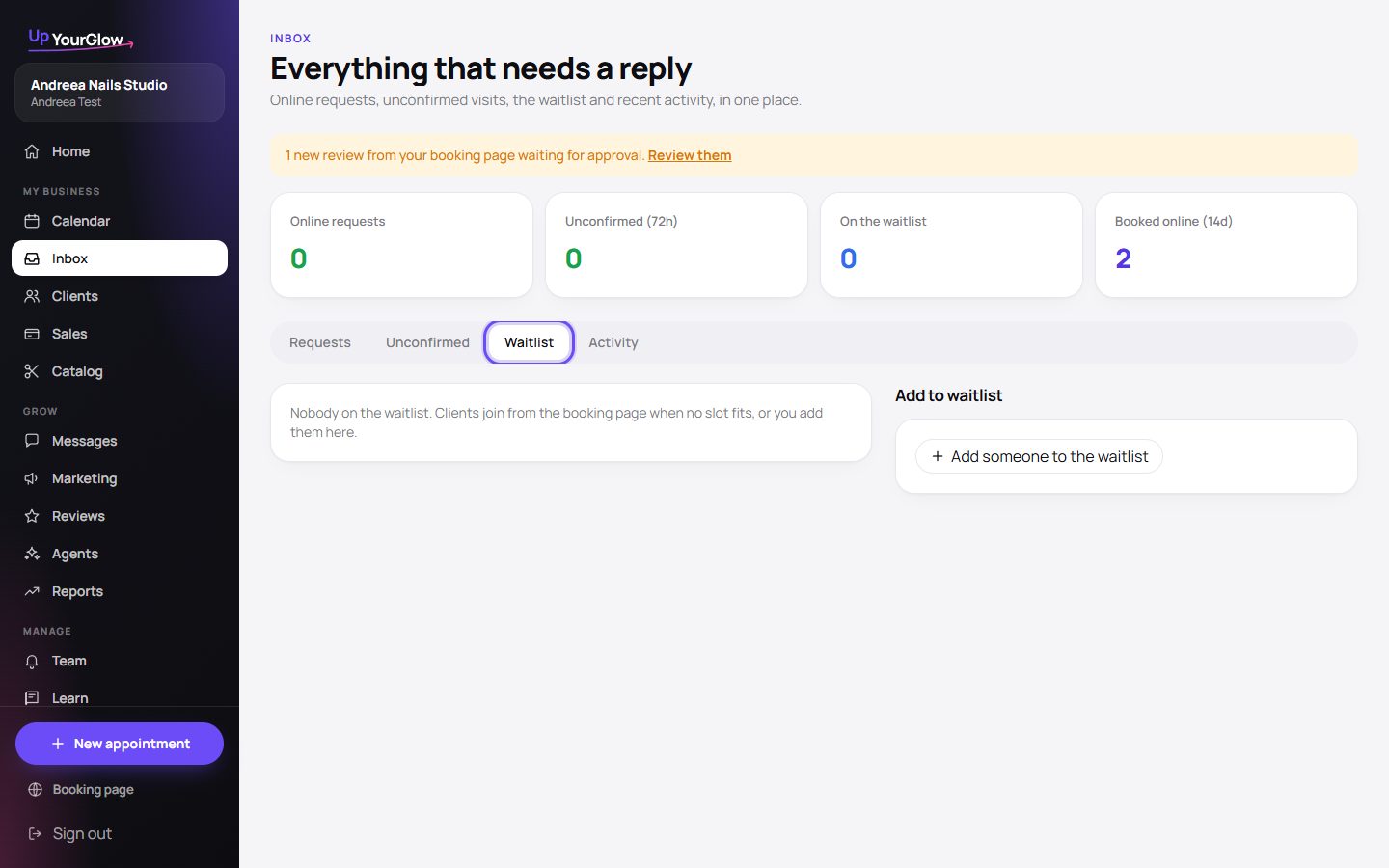 Waitlist · where to click is highlighted in violet
 - 6Confirmation
The request lands in your Inbox. Returning clients can be confirmed automatically. You send the confirmation message with one tap.
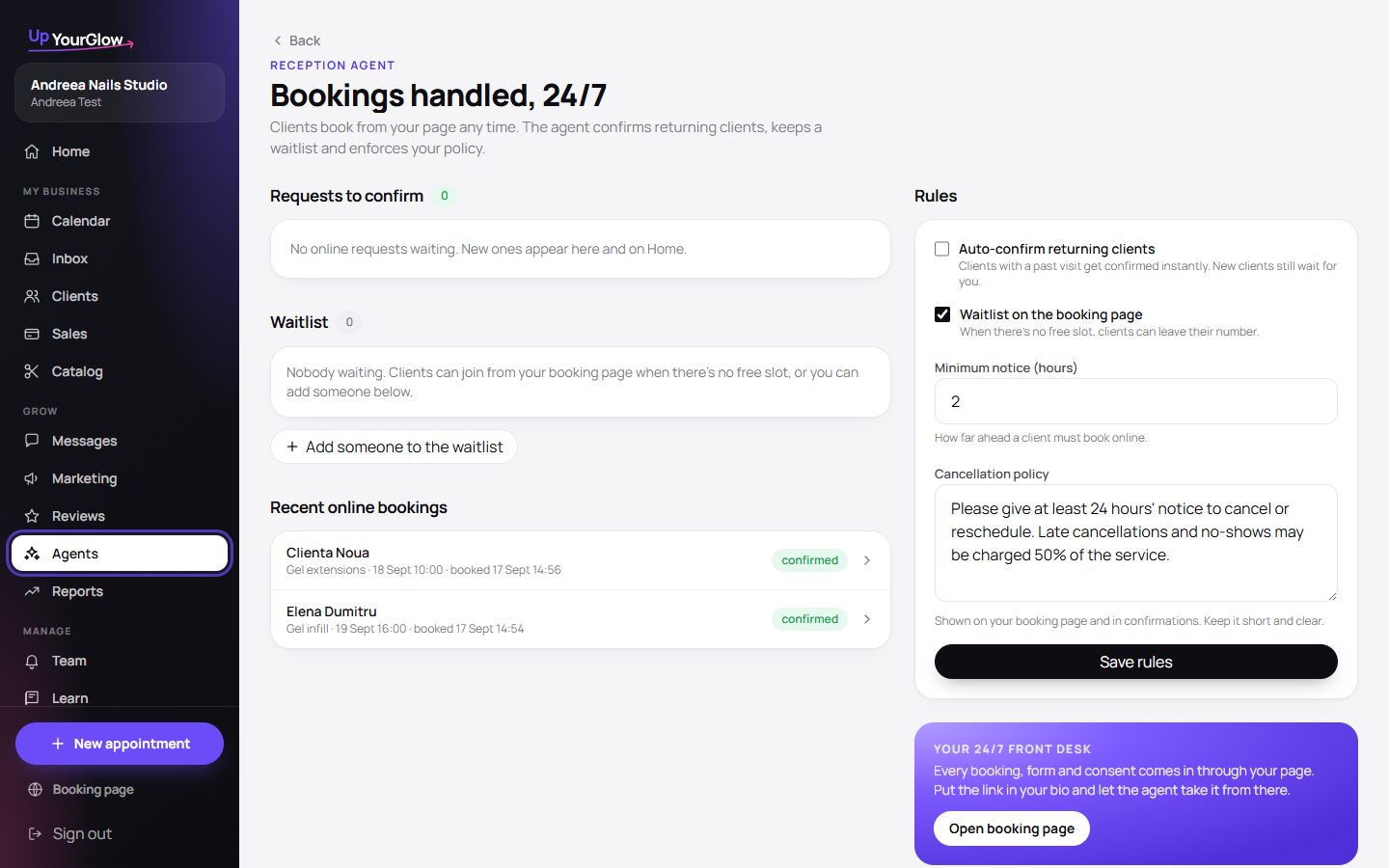 Auto-confirm settings · where to click is highlighted in violet
Stop running your business from your DMs.
Organised in 2 minutes. More clients in your first week. Free for up to 30 clients.